Please note this post may contain affiliate links.
I’m often asked how I started my blog, and how challenging it really is to get started blogging. Let me first start by saying that starting a blog does not require you to be a technical wizard. When it comes to technical skills, I’m more on the challenged end of the spectrum. I don’t know how to code, and I still have to google most technical terms.
When I started blogging a few years back, I didn’t think of it as more than a hobby. That was before I realized that your career can actually benefit from blogging, in addition to it being a great side hustle. For some, blogging has actually turned into a fulfilling and lucrative career.
WANT TO START A BLOG ON WORDPRESS? CLICK HERE AND USE THE STEPS IN THE TUTORIAL BELOW.
Starting a blog doesn’t have to be expensive or overly time-consuming. You can actually start at a pretty reasonable cost, like I did. I didn’t have much money to spare then, and was looking for an effective yet inexpensive way to get started in the blogging space. You can do just that by selecting Bluehost as your blog’s host, especially if you plan to make extra money, or use it as a foundation for your business or freelance gig.
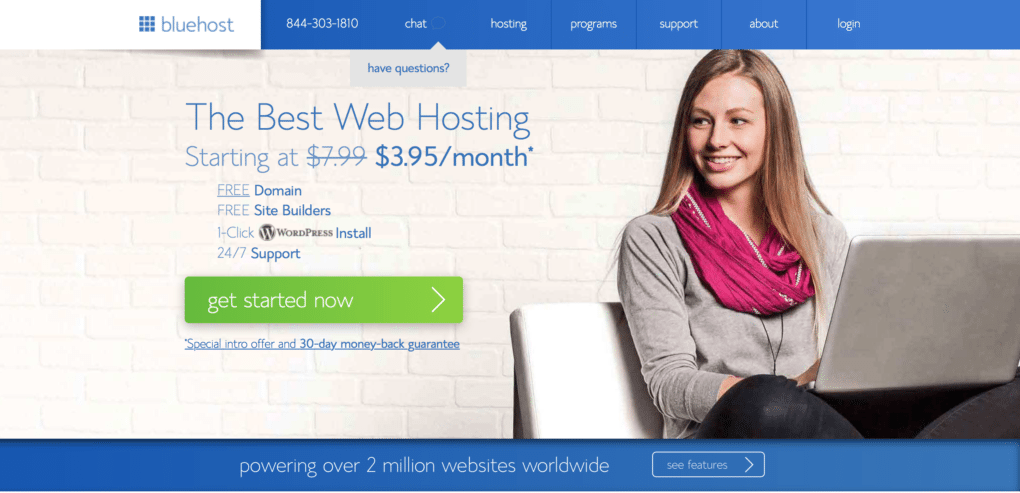
As one of the best web hosting services out there, Bluehost offers plans starting as low as $3.95/month. What I also find most attractive is that you can get your domain through Bluehost (which you will need in order to run ads, affiliate links, etc… through your site), and that you can set up the basics of your WordPress blog straight in Bluehost. While there are various web hosting plans available, including a 36-month plan, I have been using the 12-month plan which is very affordable and practical.
There are a number of web hosting services out there, yet I have to say Bluehost is my favorite. Here’s why I personally recommend it:
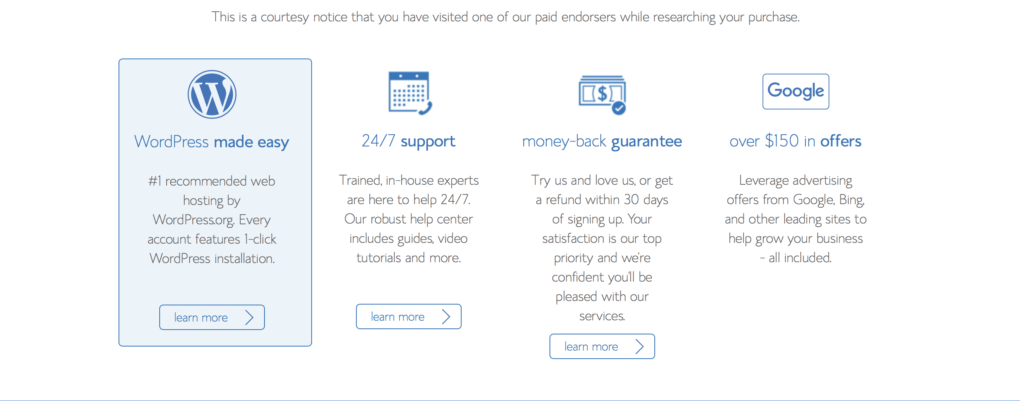
You don’t have to be tech-savvy to use it!This is hugely important for me, as I mentioned earlier I have VERY limited technical skills ( and I mean, VERY);
It’s extremely affordable! I know first-hand that when you’re starting out in the blogging space, you may not necessarily want to invest a lot of money upfront. I didn’t, and picking Bluehost allowed me to have reliable yet very affordable web hosting;
If you don’t like it, you can back out!The 30-day money back guarantee is a great incentive to try it without fully committing yourself to it, in case you want to experience other services as well;
Technical support is available 24/7! This is another great plus for me, as I don’t have to worry about not mastering any technical aspect of my blog. Customer service is available and very helpful;
Your domain is FREE! One of the earlier mistakes I made with another blog of mine is not to have my own domain name. If you plan to establishing yourself as an authority, you want your own domain;
Your WordPress blog is FREE through Bluehost! Once you sign up for Bluehost, you can set up your own WordPress blog free of charge;
Being self-hosted allows you to monetize your blog! When TCS started out, it was hosted on WordPress. However, I quickly realized that in order to monetize my site, it would have to be self-hosted.
How to start a WordPress blog with Bluehost
Here’s a quick tutorial on getting started with setting up your WordPress blog with Bluehost:
Step 1: Got Domain? Register Your Domain Name
Have you thought about what you want your blog name to be? One of the first, and maybe one of the most important steps in setting up a successful blog, is to find the right domain name. For me, The Corporate Sister was born out of my own experience and story, so it felt natural.
If you’re having a hard time coming up with a domain name, just think about the purpose and mission of your blog and how it aligns with who you are. This way, it reflects both YOU and your mission. You may also want to go for a domain name that is easy to spell, remember and share!
Click HERE to purchase your domain name. As a bonus, you get it for FREE as long as you sign up for 12 months of web hosting through Bluehost. I personally prefer this option as you end up saving money on the long run, in addition to scoring a free domain name. Besides, you don’t have to deal with hiccups like change in credit card numbers or missed payments on a month-to-month basis, which can cost you your site being down for days! You can save even more by picking the 36-month plan, so you may want to consider which option is more economical for you in the short and long-term.
Step 2: Pick Your Hosting Plan!
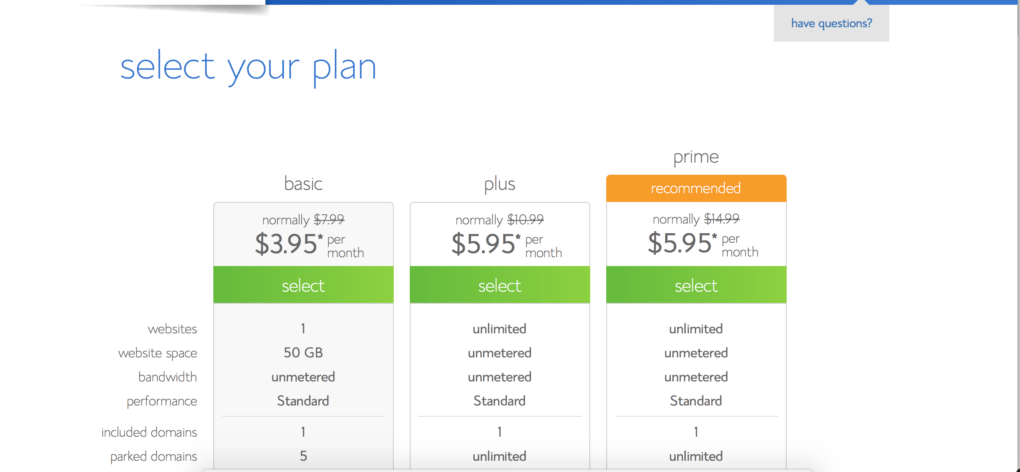
There are various plans available for web hosting through Bluehost, based on your needs.
How to start a WordPress blog on Bluehost
I started out with the Basic plan, which is priced at the very reasonable rate of $3.95 per month granted you sign up for 36 months. If you sign up for a shorter term, the rate per month slightly increases. If you’re just starting out, that’s really all you need!
Keep in mind that you’re not locked into a particular plan, you can always switch plans later on. One additional recommendation I would make is to also pick the Domain Privacy Protection, which ensures your information is safe.
Step 3: Check that your domain and hosting are linked
If you purchased your domain through Bluehost, then this step is already taken care of for you.
However, if you purchased your domain name through other web services such as GoDaddy, you want to link your domain and web hosting. Consult this page from GoDaddy’s technical help for further information.
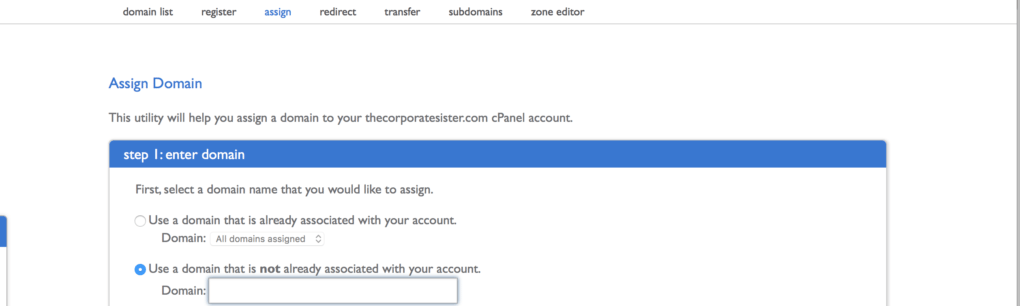
In Bluehost, you want to add the domain you purchased to your web hosting. You can do this by going to “Domains” in your account, click on “Assign” and follow the instructions. If in doubt, contact the Bluehost Helpdesk.
Step 4: Now Set Up Your WordPress Blog!
Last but not least, you get to set up your blog for FREE!
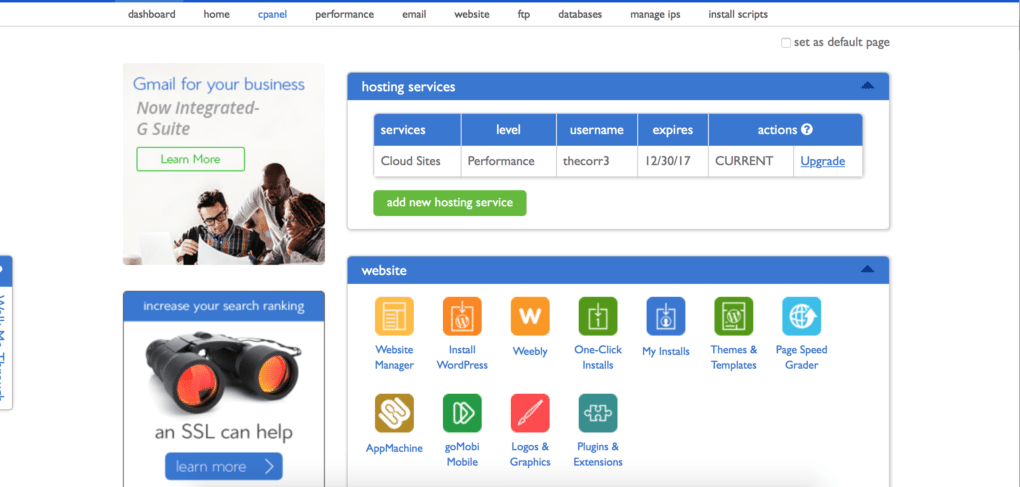
Go to the cPanel in Bluehost , and click on “One Click Install”.
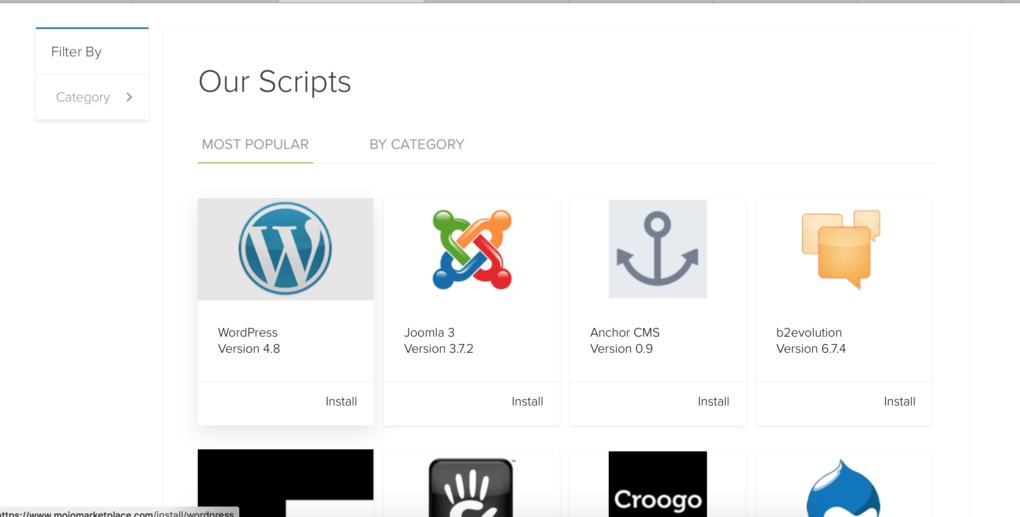
On the next page, click on the WordPress icon.
Click on the “Install” button.
As part of the installation process, you will have to click the dropdown menu and pick the domain you will be using. You will also have to choose your username and password for your WordPress website. Keep in mind to pick a username and password that are secure enough, with a combination of letters and numbers that’s not easy to guess.
Are you ready to create your WordPress blog with Bluehost? Click HERE to get started today!
Wear to Work: Striped Panel Dress – Photo credit: shopstyle.com
Nothing like an easy short-sleeve dress that you can sport with heels and sandals alike in the summer. Like this Calvin Klein short-sleeved block striped panel dress from Lord & Taylor, which combines ease and elegance from the office to the after-hours barbecue. The classic round neck and short sleeves are enhanced by the block striped panels highlighting this chic dress. It’s on sale for $53.70 at Lord & Taylor.
In a similar style, I also like this other Clavin Klein striped panel dress from 6pm. I also like this fresh, color block shift dress from Shopbop!
If you’re an entrepreneur or a remote worker, you may have visited or used a co-working space. Actually, it appears that people who use them do thrive more than people working in regular office spaces. From seeing their work as more meaningful to feeling part of a community and having more job control, people in co-working spaces just seem to derive more happiness and meaning from their work.
Here in Australia, where I live, which by the way is an amazing place to launch a business, co-working spaces are great places to build connections. It also helps that Aussies are warm, effusive, and highly dynamic. They work hard, take success seriously, and love to experiment with new ideas.These qualities make the country a very interesting place to network.
It is also the ideal environment for entrepreneurs who are keen to push the envelope and create something different. All you’ve got to do is step into the right workplace to find engaging debate, innovative strategies, and collaborative enterprise. In co-working spaces like Servcorp for instance in Sydney, for example, and you’ll be right at the heart of the corporate action.
This guide to making friends and securing big opportunities in your co-working space will give
you some advice on how to communicate.
Acknowledge the Space
While all the best coworking facilities contain a mixture of collaborative and more private
spaces, it’s important to maximise the value of shared endeavour. You don’t have to be
chatty and open to others all the time, but small businesses do stand to benefit greatly from
collective thinking, creating, and brainstorming. Even if you just have casual conversations
with fellow entrepreneurs, they’ll still teach you a lot about the market.
Respect the Space
On the other hand, it is just as important to respect privacy when it’s clearly warranted or
desired. This can be tricky at first, particularly if you’re not used to sharing an office, but it’s
just a matter of letting common sense guide you. Strike up conversations with new
acquaintances during slow moments like coffee breaks or when you’re both setting up your
equipment in the morning. Then, it’ll feel less intrusive if you drop in on them with a
suggestion, question, or recommendation later.
Suggest a Labour Exchange
This is one of the simplest ways to cement a new relationship in a coworking space. These
shared facilities welcome high-end clients from all kinds of industries and walks of life. It
straight talking, so be open to the idea of sharing not just the space but also your goals.
Why Coworking Spaces Are a Great Place to Learn
The idea that entrepreneurs should close themselves off to the rest of the market and only
view their rivals with a suspicious gaze is an old one. It doesn’t really apply to the modern
business world because so much of our technology is now based on collaboration.
Coworking spaces are wonderful learning environments, because they place young
entrepreneurs at the heart of the action, among other motivated, fast moving professionals.
Author Bio: Alexandra Richards is an Australian business consultant, located in Melbourne. She takes a keen interest in business structures and work culture. Recently she has taken a particular interest in the benefit of having virtual office solutions to attract clients in Asia.
Please note this post may contain affiliate links and I may be compensated if you click on the included links.
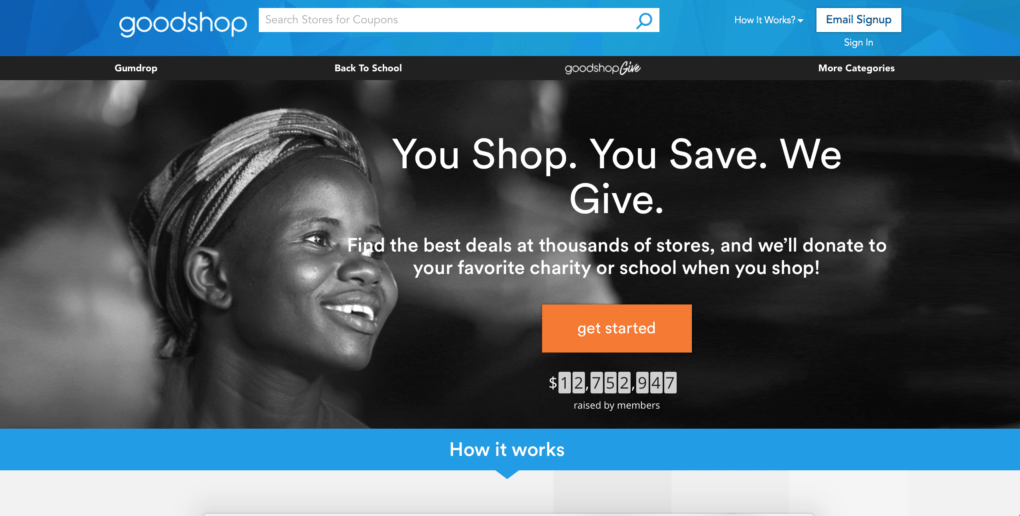
Gumdrop by Goodshop
I love to shop, that’s no secret (you can ask the hubby!). Yet, I’m also quite on the frugal side when it comes to stretching my dollar. While at the #BlogHer17 conference last week, I learnt of a wonderful way to make my dollar stretch even further, and for a good cause too! I’m excited to be able to share with you an amazing way to shop while saving and giving back right from your computer or smartphone!
Most of us love to give back to causes that are close to our hearts. Yet, life gets so much in the way sometimes that we’re not often reminded to do so. What if we integrated our everyday activities likes shopping for instance, with the higher purpose to contribute to a charitable cause of our choice? That’s what Gumdrop allows you to do, though a simple extension that takes about 30 seconds, if that, to install.
SHOPPING FOR A CAUSE IS EASY WITH GUMDROP BY GOODSHOP
What if you could automatically find the best coupons and deals every time you shop online? That’s exactly what Gumdrop allows you to do. This browser extension sifts through over 500,000 deals and coupons to help you save the most money. I know despite all my best efforts, I rarely have the time or energy to gather the coupons I need.
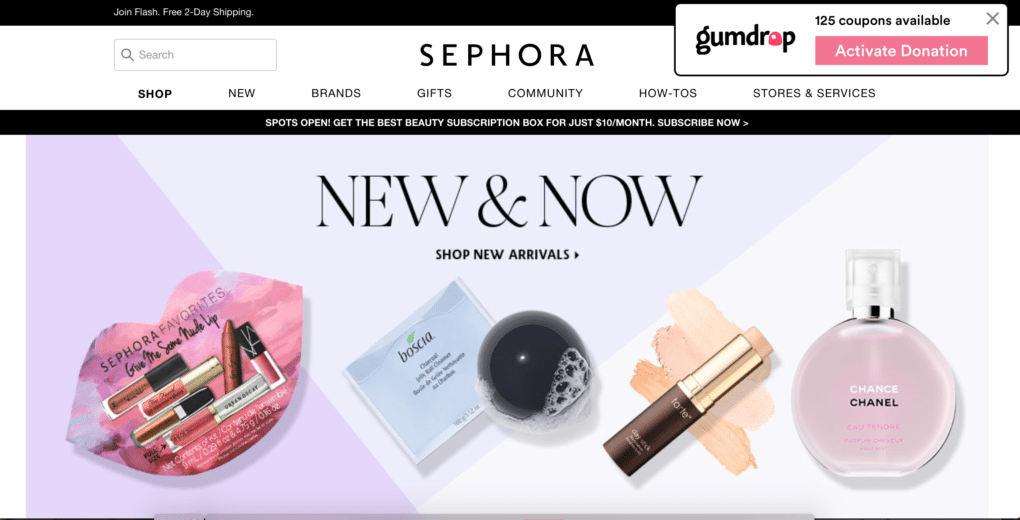
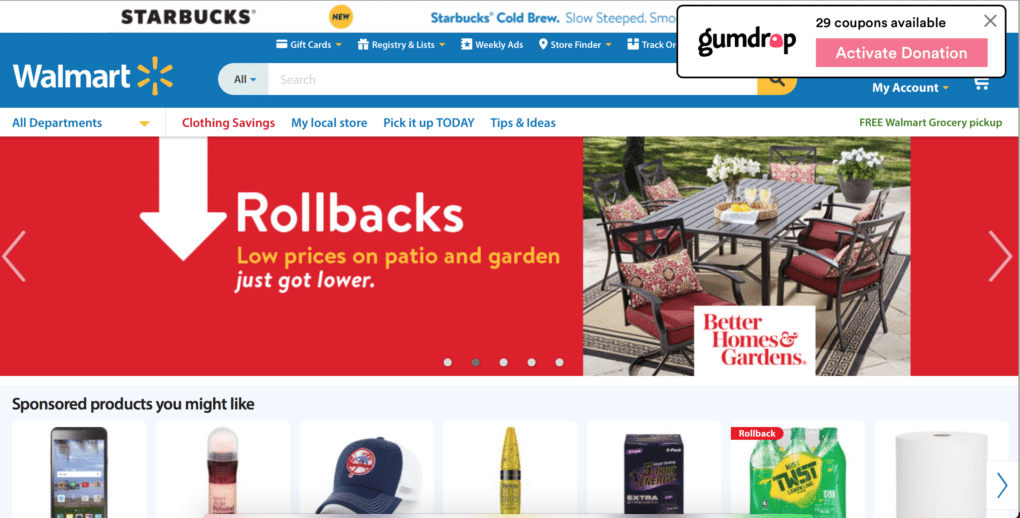
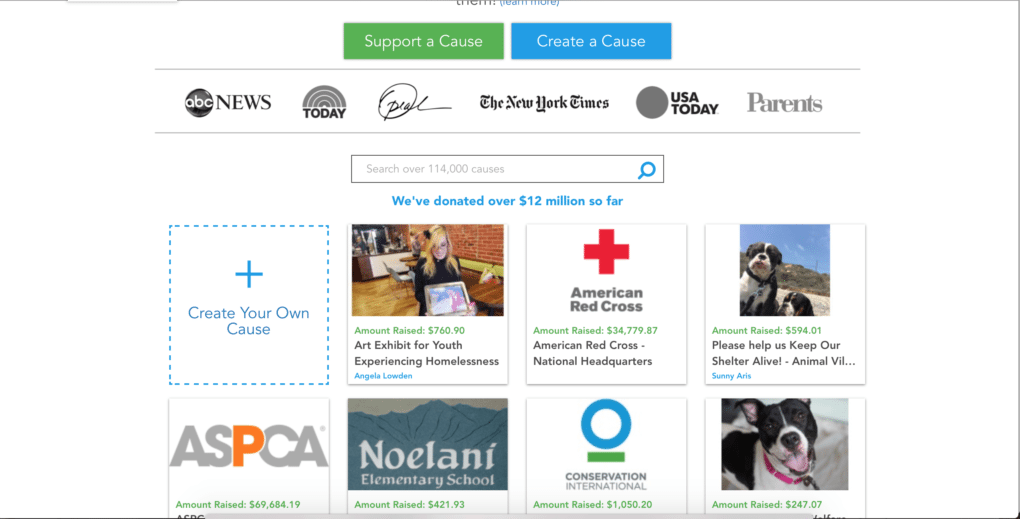
With Gumdrop, as soon as you’re shopping online, the best deals and coupons are displayed on the retailer’s page. In addition, if you buy anything using one of the deals or coupons from Gumdrop, Goodshop automatically makes a donation to your favorite cause. No headache, no need to navigate to a different page, and no need to pay anything! You can donate to the cause of your choice, and you can actually even create the cause you choose to donate to!
Here’s an example of two of the places I shop online and use Gumdrop on:
Shopping online with Gumdrop by Goodshop
Shopping online wit Gumdrop by Goodshop
For example, my charities of choice are UNICEF and the Susan G. Komen foundation for breast cancer.
Welcome to our weekly career, entrepreneurship, lifestyle and fashion news roundup! Think of it as your online watercooler/work gossip station/coffee break spot for now…Want to add anything to our list? Email us at corporate@thecorporatesister.com!
I just came back from the amazing BlogHer17 conference and it was everything! Read my recap here!
Black Enterprise reveals Oberlin College picked African-American visionary Carmen Twillie Ambar as president;
Ready to power through this summer? Inc. lists 7 odd things successful people do over the summer that lazy people don’t;